
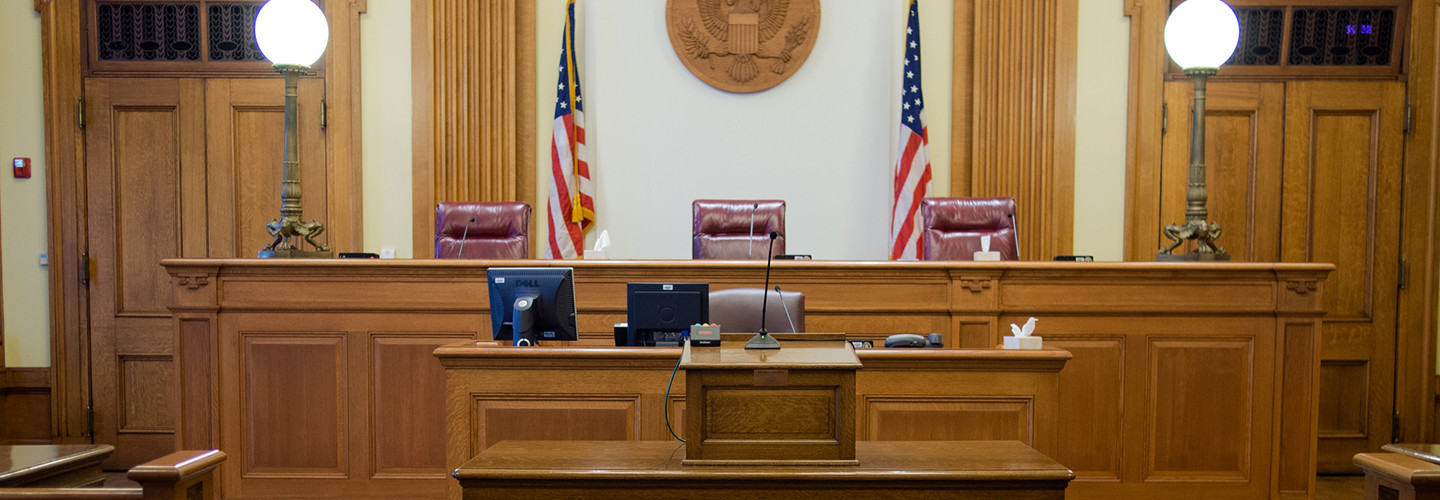

During a recent jury trial, I observed plaintiff’s counsel using an AI notetaking application during voir dire. I raised the issue privately in chambers. The court returned to the bench and asked counsel whether they were “recording.” Counsel denied recording, and the court ordered that all microphones be turned off.
That should have resolved the issue.
It did not.
Because modern AI notetaking software cannot function without ingesting live audio. And ingesting live audio is recording—whether the user believes it is or not.
This article is directed to judges and attorneys who may not yet appreciate the technical and legal consequences of using AI notetaking software inside a courtroom.
“No recording” must mean no recording. And that includes AI-powered tools that capture, transmit, and process live courtroom audio.
The Law in California Is Clear
California courtrooms are not open audio environments.
California Rules of Court, Rule 1.150 strictly regulates the use of electronic recording equipment in court proceedings. With narrow exceptions, recording and broadcasting require prior court authorization. The rule exists to protect the integrity of proceedings, the privacy of participants, and the authority of the court.
Additionally, California Penal Code § 632 prohibits recording confidential communications without the consent of all parties. While courtroom proceedings themselves are public, sidebars, attorney-client communications, and certain juror disclosures may not be. Audio capture tools that indiscriminately ingest sound cannot reliably distinguish between public and confidential exchanges.
Further, California Government Code § 69941 establishes the statutory role of the official court reporter as the individual responsible for making the verbatim record of proceedings. That record is the official record.
California has never authorized a parallel, privately operated cloud-based audio capture system to function alongside a licensed court reporter inside a courtroom.
When a judge orders “no recording,” that order carries legal weight. It is not a suggestion. It is not limited to handheld tape recorders. It encompasses any mechanism that captures and stores courtroom audio.
The Technical Reality Judges Must Understand
AI notetaking software—whether marketed as “meeting assistants,” “legal AI,” or “smart summaries”—cannot produce text without first capturing sound.
The process is straightforward:
- The device microphone is activated.
- Audio is captured in real time.
- The audio is transmitted to a remote server.
- Automated speech recognition converts speech to text.
- The data is stored, processed, and often retained in the cloud.
The capture event is the recording event.
Attorneys may sincerely believe they are “just taking notes.” But if software is listening, transmitting, and converting speech, it is recording.
The misconception stems from a narrow view of recording as saving a .wav file locally. Modern AI systems do not need to create a visible file on a laptop to record. They ingest and transmit audio continuously.
If the software requires audio to function, and the audio originates in a courtroom, then courtroom audio is being recorded.
Whether counsel understands that technical reality is immaterial to whether it is occurring.
Jury Voir Dire Raises Heightened Concerns
Voir dire is not a casual exchange.
Jurors disclose:
- Prior arrests or convictions
- Experiences with sexual assault or domestic violence
- Medical history
- Financial hardship
- Immigration status
- Personal trauma
Jurors answer these questions under the authority of the court. They do not consent to having their disclosures transmitted to third-party AI vendors.
If AI software captures that audio and sends it to cloud servers, multiple risks arise:
- Unauthorized retention of juror data
- Possible data mining or training use
- Cybersecurity exposure
- Violations of local court rules
- Violations of protective orders
No juror has agreed to have their disclosures processed by a private AI company.
When a judge prohibits recording, that prohibition must protect jurors from undisclosed audio capture mechanisms.
The Official Record Cannot Be Duplicated Privately
California law provides for one official record.
The licensed court reporter is bound by oath, statute, and professional discipline. The reporter’s notes are confidential. The transcript is certified. The chain of custody is defined.
AI notetaking software is not licensed. It is not sworn. It is not accountable to the court. It has no statutory authority to create a record.
When counsel uses AI software that captures live courtroom audio, it effectively creates a shadow record—unregulated, uncertified, and potentially discoverable.
That undermines the exclusivity of the official record.
It also creates confusion about what constitutes the authoritative transcript.
The courtroom cannot operate with two simultaneous recording systems—one official and one private.
“Turn Off the Microphones” Is No Longer Sufficient
In older courtrooms, prohibiting recording meant removing tape recorders or camera crews.
Today, microphones are embedded in laptops, tablets, and smartphones. Browser-based software can activate them. Permissions may already be granted. Applications may run in the background.
Even if a visible external microphone is unplugged, the internal device microphone may still function.
Even if the attorney claims they are not recording, the software may still be ingesting audio.
To meaningfully enforce a no-recording order in the AI era, courts must consider:
- Prohibiting AI notetaking applications during proceedings
- Requiring internet connections to be disabled during live testimony
- Requiring microphones to be disabled at the operating system level
- Prohibiting cloud-based audio capture tools in court
This is not hostility toward technology. It is recognition that technology has evolved beyond visible tape recorders.
Attorneys Face Ethical and Strategic Risk
Attorneys should also consider the professional implications.
If AI software captures:
- Attorney-client whispers
- Sidebar discussions
- Strategy exchanges
- Inadvertent privileged communications
Those recordings may be stored outside the attorney’s control.
Some AI platforms expressly disclaim confidentiality protections and reserve the right to store and process data.
If privileged communications are transmitted to a third party without adequate safeguards, privilege may be jeopardized.
Moreover, if a judge has ordered no recording and an AI tool continues ingesting audio, counsel may unknowingly be in violation of a court order.
Ignorance of how the software functions is not a defense to disobedience of a judicial directive.
Judicial Authority Must Adapt to Technological Reality
When a judge states “There will be no recording in this courtroom,” that order must be interpreted in light of how recording now occurs.
Recording is no longer a red light on a handheld device.
It is embedded in software.
It is silent.
It is automatic.
Judicial authority depends on clarity and enforceability. If counsel can say, “We are not recording,” while their software simultaneously transmits live audio to a cloud server, the authority of the court is diluted.
A technologically informed order might state:
“No party shall use any software that captures, transmits, or processes live courtroom audio. All AI notetaking or automated transcription applications are prohibited. Microphones shall be disabled. No internet-based audio processing tools may be used during proceedings.”
Such language does not prevent attorneys from taking notes. It prevents unauthorized recording mechanisms from operating.
This Is Not Anti-Innovation
Courtrooms are not resistant to technology. Remote appearances, electronic filing, and digital exhibits are commonplace.
But innovation must align with statutory authority.
California law establishes the role of the licensed court reporter as the officer responsible for creating the verbatim record. That statutory framework has not been repealed.
If parallel AI recording systems are to be authorized, that change must come through legislation—not silent adoption through courtroom laptops.
Until then, the law remains what it is.
Recording in California courtrooms is restricted.
When a judge orders “no recording,” that prohibition includes AI notetaking software that captures live audio.
Anything less renders the order incomplete.
Here’s a current list of AI-powered note-taking, transcription, and meeting capture tools that are commonly used in legal and professional settings. Many of these tools automatically ingest and transcribe audio via AI, which is why they raise the recording concerns discussed earlier.
General AI Notetaking & Transcription Tools (often used by lawyers)
These products aren’t “legal court recording” systems — but they are widely used by attorneys for meetings, interviews, depositions, and internal discussions.
- Otter.ai — AI meeting transcriptions and real-time note summaries.
- Fireflies.ai — Automatic meeting joiner, recorder, and summarizer.
- Notta (noted in broader lists) — AI transcription and recognition service.
- Avoma — AI note summaries and insights for meetings.
- Fathom — Transcription and summary tool for virtual meetings.
- Jamie — AI note taker app with focus on organization and summaries.
- Evernote AI Meeting Notes — Transcription and AI-based note generation.
- VXT Meet — AI notetaker designed for attorney meetings and integration with legal software.
- Leexi AI Note Taker — AI meeting transcription and summarization.
- Notigo — AI meeting assistant focused on secure, structured legal meeting notes.
Legal Practice Platforms with AI Note-Related Features
These are broader legal tech suites that include AI assistance, document summaries, or integrated note/context capture:
- Filevine — AI-enhanced case management; helps add notes and summarize case data within the platform (not a standalone audio recorder but includes AI context tools).
- Rev.com — Transcription and secure speech-to-text services, often used in legal workflows.
Tools Mentioned in AI Notetaker Round-Ups
These are not strictly legal products but are frequently used for automated transcription and summary tasks that capture audio:
- Zoom AI Assistant — Built-in AI that can transcribe meetings (often disclosed in video conferencing).
- Read AI, Krisp, Granola, and Bluedot — Other AI meeting summary/transcription tools surveyed in industry round-ups.
Key Note
Most of these tools operate by activating microphones and streaming audio to cloud servers for AI processing — and thus, in a courtroom, they function as audio capture systems even if the user doesn’t think of them as “recorders.”
Conclusion
Judges and attorneys must understand that modern AI notetaking tools function by recording.
If the court prohibits recording, those tools cannot operate.
The integrity of proceedings, the privacy of jurors, the protection of privilege, and the authority of the official record all depend on this clarity.
Technology does not change the law.
But misunderstanding technology can lead to unintentional violations of it.
“No recording” must mean no recording—whether the device is visible or embedded in code.
 STENOIMPERIUM